
OPTIMEET EXPO PLATFORM GUIDE
Here you can find information and guidance on using our Expo platform, your go-to resource for everything you need to know about the expo.
Here you can find information and guidance on using our Expo platform, your go-to resource for everything you need to know about the expo.





Get inspired and discover ideas for creating your own personalised expo experience.
The Expo platform is your personal digital companion for OPTIMEET Expo. It brings together all the essential information you need to plan your day and make the most of your visit.
In the lead-up to the expo, you will receive emails with news, practical information and personalised recommendations for exhibitors, talks and more.
You will receive access to your personal Expo platform by email and text message. Here, you can also find your ticket, the digital programme, the exhibitor list and your scheduled meetings.
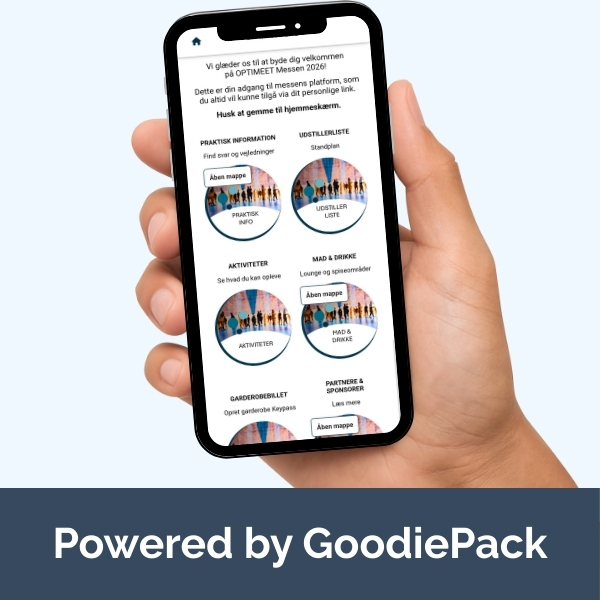
Getting started is easy. Follow these three steps to make sure you are ready to use your personal Expo platform before and during the expo.
You will receive access to your personal Expo platform by email and text message ahead of the expo. Here, you will also find your ticket, the digital programme and the exhibitor list.
Add information about yourself and your interests. You can also choose to upload a profile picture. This makes it easier to connect with relevant people.
Add the Expo platform to your phone's home screen so it is always within easy reach and simple to access whenever you need it.


At OPTIMEET Expo, you will meet plenty of interesting people. With the lead scanner, you can easily collect contact details from other attendees by scanning the QR code on their name badges.
Your new contacts are automatically saved to your personal list on the Expo platform, giving you a clear overview of the connections you have made.
After the expo, you can export your leads and follow up with the people you have met.
Make the most of your day at the expo by arranging meetings with the people who are most relevant to you.
With the chat and meeting booking features, you can easily connect with other attendees and exhibitors at OPTIMEET Expo.
Your scheduled meetings are automatically added to your personal programme on the Expo platform, so you can easily keep track of your appointments.
Start by completing your personal attendee profile on the Expo platform.
Find the person you would like to connect with and start a conversation.
Once you have started a chat, you can arrange to meet at a stand, in the Meeting Area or in one of the expo's coffee areas.
